Experience Journey Map Report
The Experience Journey Map report shows the score at each step of a customer journey, side by side and in order. Use it to see where people are happy, where the score drops, and how each step compares to the target you set.
A journey map is built once in Manage. This page is only about reading the report. To create or change a map, see Manage Experience Journey Map.
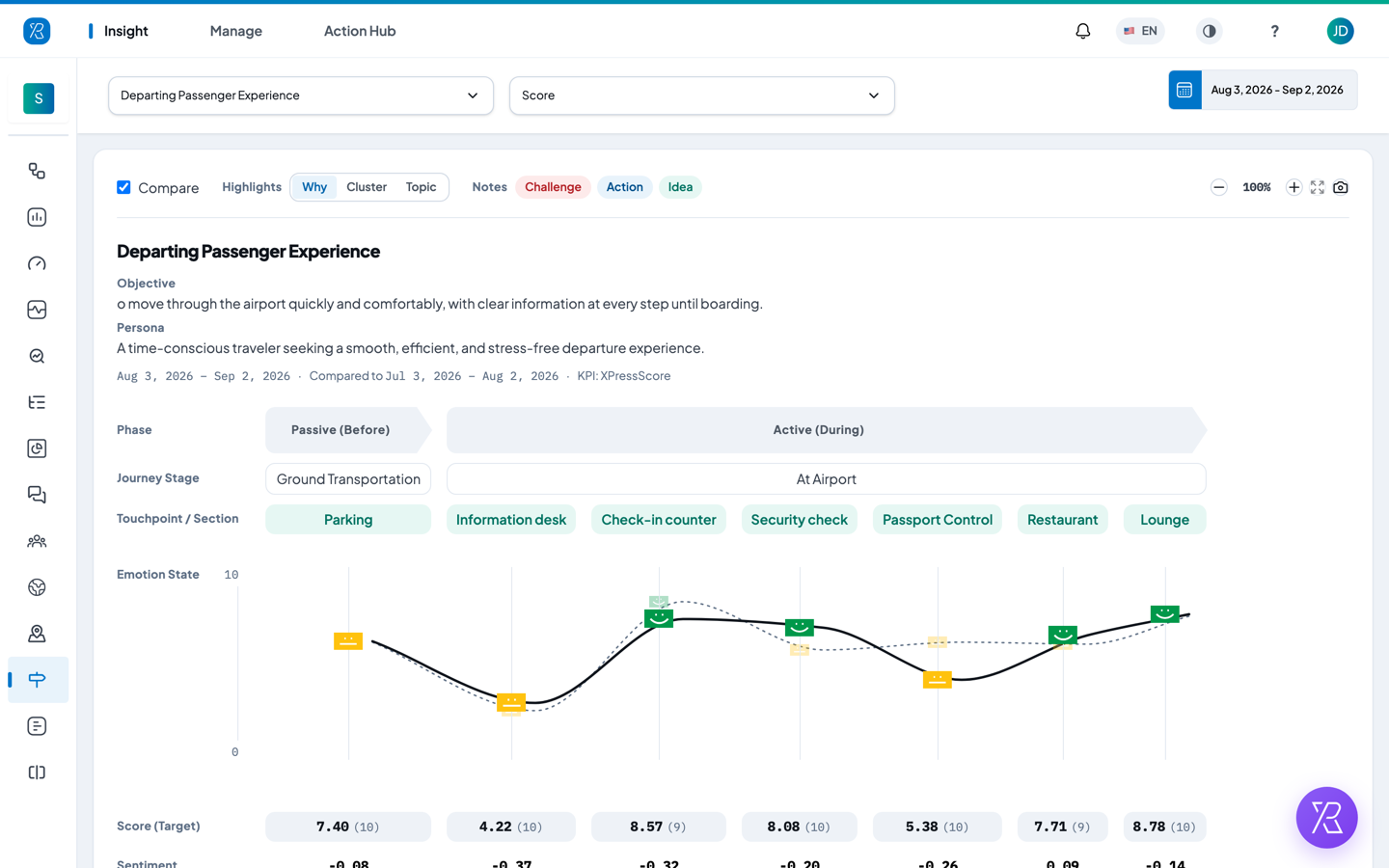
Open the report
- From the Insight menu select Journey Map.
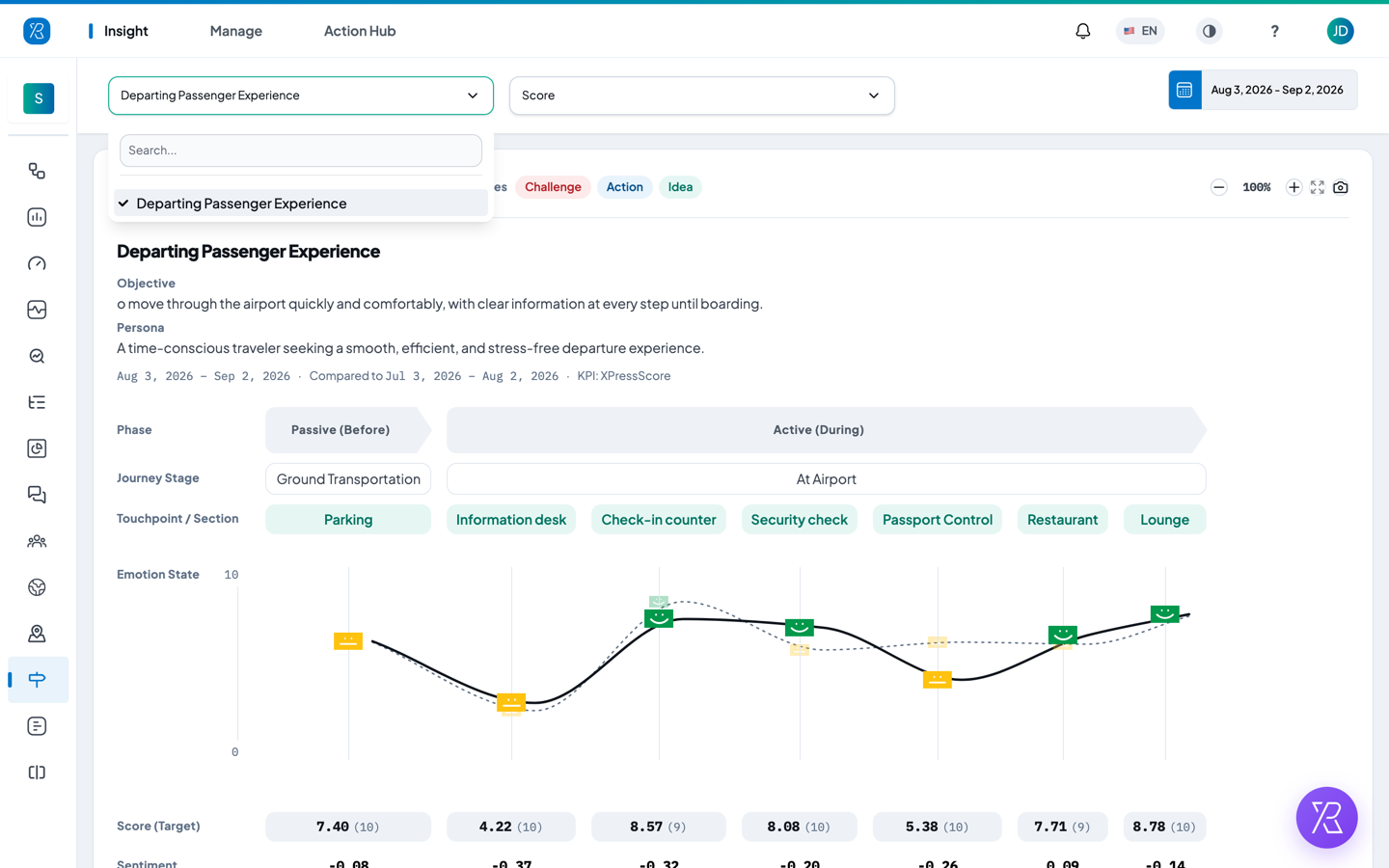
- Pick a map from the list at the top left. Type in the Search box if you have many maps.
- Pick the score you want in the second list: Score (XPressScore, the weighted happiness score), Promoter Index (PI) or Customer Satisfaction.
- Click the date button at the top right to change the period.
The date button opens a small panel. Type a from and to date and click Submit, or click a shortcut: Today, This Week, This Month, This Quarter, This Year, Yesterday, Last Week, Last Month, Last Quarter, Last Year.
The heading above the map
The heading repeats the map name and, if they were filled in when the map was built, its Objective (what the journey is meant to achieve) and Persona (who is going through it).
The small line under that shows the period, the period it is compared against, and the score you chose. The compared period only appears while Compare is ticked. If you see no numbers, the map is fine but nobody gave feedback in that period — widen the dates.
How to read the map
The map reads left to right, one column per step. If the map is wider than the screen, drag it sideways or use the scrollbar under it.
| Row | What it shows |
|---|---|
| Phase | The part of the journey: Passive (Before), Active (During) or Post (After). Only phases that have steps in them appear. |
| Journey Stage | The stages inside each phase, for example Ground Transportation or At Airport. |
| Touchpoint / Section | The touchpoint or section that collects feedback at that step. This is the keypoint. Hover it to see which of the two it is. |
| Emotion State | One face per step, placed at the height of that step's score, joined into a curve. The scale on the left runs 0 at the bottom to 10 at the top. A dip is where customers got unhappy. A dash instead of a face means that step had no responses in the period, and the curve breaks there. |
| Score (Target) | The score for the step, with the target in brackets after it. A dash means no responses. |
| Sentiment | How positive the written comments were, from -1 to 1. Above 0.25 the chip is tinted positive, below -0.25 negative, in between neutral. A dash means the step had no responses at all. |
| Teams | The teams responsible for that phase. Blank if no teams were named when the map was built. |
| Highlights | The most mentioned items for the whole phase, biggest first, with how many times each came up. The dot in front of each one is coloured by how positive those comments were. |
| Notes | The challenges, actions and ideas your team wrote against that phase. |
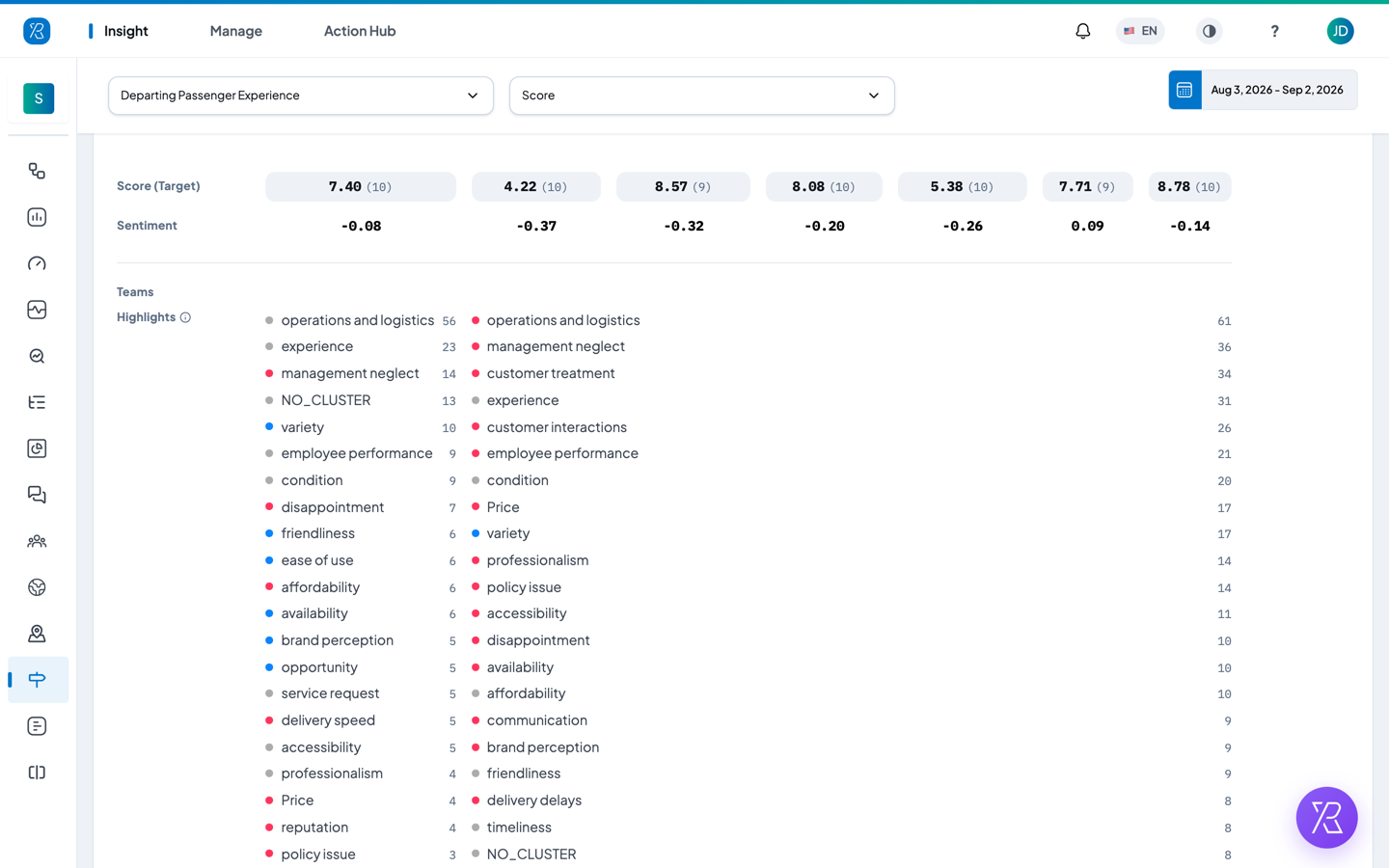
The face itself is a rough band, not the score: sad below 2.5, meh between 2.5 and 7.5, happy above 7.5. Click a face to see the exact score and the target for that step. When Compare is ticked, the previous period is drawn behind as a second, dimmer dashed curve with smaller faces.
Targets
The number in brackets in the Score (Target) row is the target set for that keypoint when the map was built. It is a number from 1 to 10 and defaults to 10, so most steps show (10) unless someone changed it. Compare it with the score in front of it: a step scoring well under its target is a step to look at first. Hover the score to see the target spelled out.
Controls above the map
- Compare — leave it ticked to draw the previous period as a dashed line behind the current one. Untick it to show only the selected period.
- Highlights — switch what the Highlights row lists: Why (the reason customers picked from the list on the terminal), Cluster (comments grouped into themes such as operations and logistics) or Topic (the exact words customers used). Why is only filled in if your touchpoints ask for a reason; if they do not, that row is empty and you should use Cluster or Topic instead. In the Cluster list,
NO_CLUSTERcounts the comments that did not fit any theme. - Notes — the Challenge, Action and Idea chips hide and show that kind of note. A chip with a dashed outline is hidden.
- Zoom — the minus and plus buttons shrink or enlarge the map, between 40% and 200%. The Fit Map button next to them puts it back to 100%.
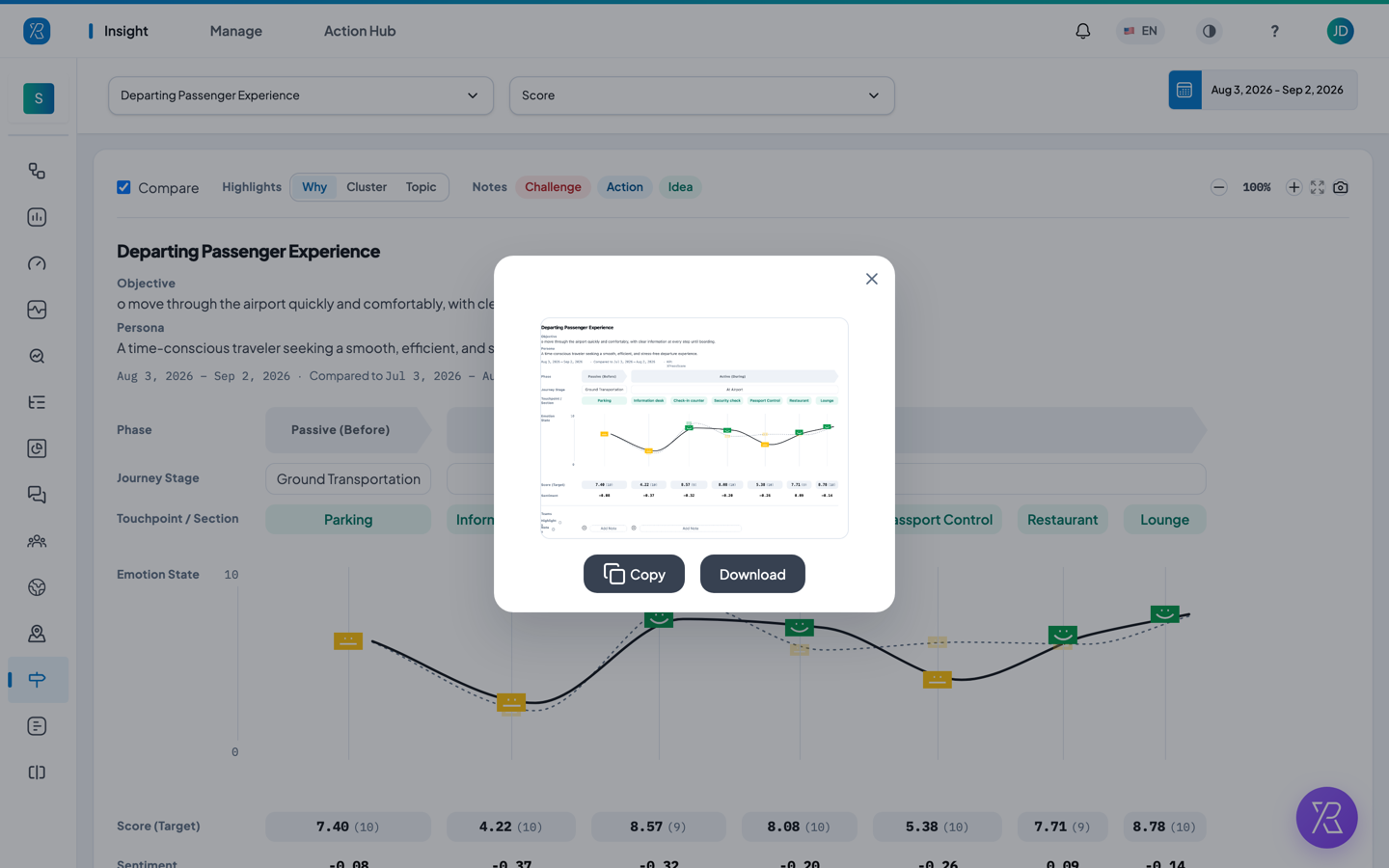
- Camera — makes a picture of the map, heading included, and opens it in a small window. Click Copy to put it on the clipboard or Download to save it as a PNG.
Add a note
Notes let your team record what to do about a phase. They are saved with the map, so everyone sees them.
- Scroll down to the Notes row and click Add Note under the phase you want.
- Choose the type: Action, Challenge or Idea.
- Type the note.
- Click Submit.
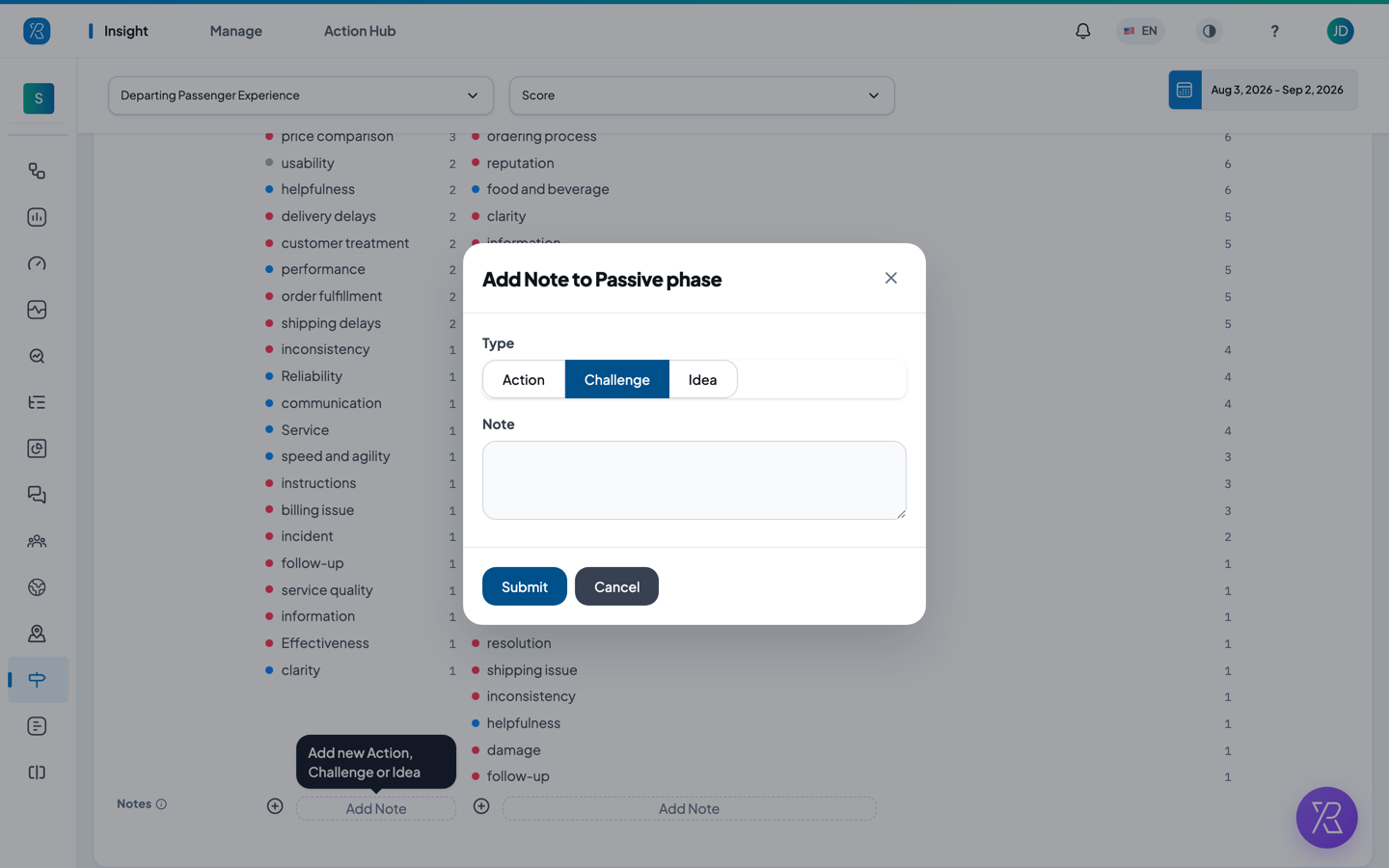
If you do not see Add Note, your account does not have permission to add notes. Ask an admin.
Close or resolve a note
Each note has a small circle in front of it.
- Click the circle in front of the note.
- Confirm.
A Challenge switches between open and Resolved. An Action switches between open and Closed. An Idea has no status, so its dot is solid and does nothing.
The circle also tells you the note's type by its colour, and its state by its shape: a ring is still open, a tick is resolved or closed.
If the report is empty
- No journey maps yet — none have been built. Click Create The First Journey Map to go to Manage.
- There is no touchpoint for this journey map — the map exists but has no keypoints yet. Click Edit Journey Map and add some.
- Every score is a dash — there were no responses in the period you picked. Choose a wider date range.
- Could not load — the report failed to fetch. Click Retry. A warning triangle in a single cell means only that one step failed; everything else on the map is still good.