Bulk update multiple kiosk touchpoints
There are cases that you want to update multiple kiosk touchpoint to the same question and configuration. Rather than updating every touchpoint, this is doable with the bulk update functionality.
[Note] To update just one kiosk touchpoint, see Change it later.
Bulk Update Multiple touchpoints
- Go to the Manage Menu on top
- Select Touchpoint-List from left menu
- Find The touchpoint that you want to apply the setting from to other touchpoints
- In Manage click Bulk Update

- You will see current question and settings for the selected touchpoint
- Click Next
- Find the other touchpoints/kiosks from the list that you want to update
- Select the ones that you want to update and transfer them to the table on the right
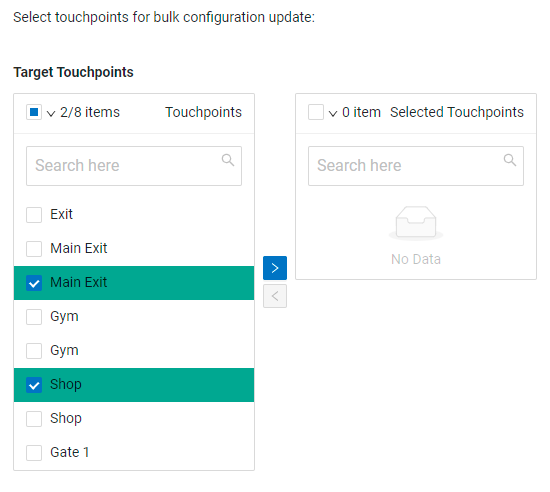
- Click Next
- Review the list (it should be the list of touchpoints selected in the previous step)
- Click Submit
- You will see the update status for every touchpoint
- If all success the kiosks will be updated accordingly.
[Note] it may take between 1-24 hours that the question gets updated on the kiosk itself.
If you have any question contact support@ pxp.ai